
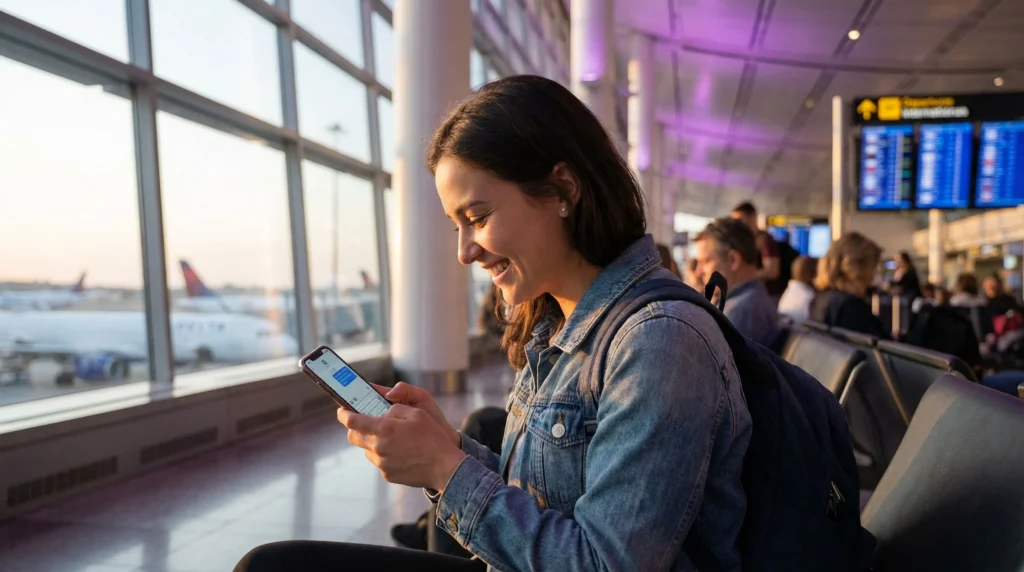

iPhone user sending iMessage using eSIM mobile data abroad

iMessage with eSIM: How It Works While Traveling

If you’re using an iPhone abroad, you may wonder whether installing a travel eSIM will affect iMessage, your phone number or existing conversations.

In most cases, a travel eSIM works alongside your regular SIM and provides mobile internet while your primary SIM remains associated with your usual phone number. This means you can continue using iMessage during your trip without creating a new Apple account or losing your conversations.

Quick answer: yes, iMessage works with a travel eSIM. The eSIM provides mobile data, while your existing iMessage account can remain linked to your regular phone number and Apple ID.

Top Albania eSIMs

Does iMessage Work with a Travel eSIM?

Yes. iMessage needs an internet connection, and that connection can come from a travel eSIM, WiFi or another mobile data source.

A data-only travel eSIM does not automatically replace the phone number you already use with iMessage.

You can usually continue to:

  • Send and receive iMessages.
  • Keep existing conversations.
  • Use your Apple ID.
  • Keep your regular phone number associated with iMessage.
  • Send photos, videos and voice messages.
  • Use FaceTime over mobile data.

How iMessage Works with Dual SIM

On a Dual SIM iPhone, your regular SIM and travel eSIM can have different roles.

Function Recommended Line
Mobile Data Travel eSIM
Calls Primary SIM
SMS Primary SIM
iMessage Internet Connection Travel eSIM
Apple ID Unchanged

This setup allows your travel eSIM to provide internet while your regular number stays available on the phone.

Will Installing an eSIM Change My iMessage Number?

Normally, no.

Installing a data-only travel eSIM does not automatically change the phone number you use with iMessage.

Your existing number may remain selected under:

Settings → Apps → Messages → Send & Receive

Depending on your iOS version, the exact menu wording may differ slightly.

Should I Keep My Primary SIM Turned On?

If you want to keep using your regular phone number for calls, SMS and iMessage registration, it is generally useful to leave your primary SIM enabled.

However, you should disable Data Roaming on the primary SIM if your home carrier may charge roaming fees.

Recommended iPhone Setup

Setting Recommended Value
Travel eSIM ON
Primary SIM ON if you want calls/SMS
Mobile Data Travel eSIM
Travel eSIM Data Roaming ON
Primary SIM Data Roaming OFF if charges may apply
Allow Cellular Data Switching OFF
Network Selection Automatic

Can iMessage Use Mobile Data from a Different SIM?

Yes. iMessage does not need mobile data from the same SIM associated with your phone number.

For example, your primary SIM can remain associated with your regular number while your travel eSIM provides the internet connection used to send and receive iMessages.

Does iMessage Need SMS?

iMessage primarily uses internet data once it is activated. However, Apple may occasionally use SMS during activation or when verifying a phone number.

This is one reason keeping your primary SIM active can be useful while traveling.

What Happens If I Turn Off My Primary SIM?

iMessage may still work using your Apple ID and internet connection, but your usual phone number may not behave exactly the same if the line is disabled for an extended period or requires reactivation.

If keeping your regular number active in iMessage is important, leaving your primary SIM enabled is usually the safer setup.

Can I Use iMessage Without a Phone Number?

Yes. iMessage can also work through your Apple ID email address.

However, many users prefer to keep their normal phone number selected so friends and family can continue messaging them exactly as before.

How to Check Your iMessage Send & Receive Settings

  1. Open Settings.
  2. Go to Apps.
  3. Select Messages.
  4. Tap Send & Receive.
  5. Check that your usual phone number is selected.
  6. Check that your Apple ID email is also available if desired.

What Should You Choose for “Start New Conversations From”?

If you want new iMessage conversations to appear from your normal number, select your regular phone number under Start New Conversations From.

This helps keep your messaging identity consistent while traveling.

Does FaceTime Work with a Travel eSIM?

Yes. FaceTime also works over mobile internet provided by a travel eSIM.

You can make:

  • FaceTime audio calls.
  • FaceTime video calls.
  • Group FaceTime calls.

Video calls can use significantly more data than text messaging, so monitor usage if your plan has a fixed data allowance.

Does a Data-Only eSIM Have a Phone Number?

NoveSIM travel eSIM plans are data-only and do not include a local phone number, traditional voice calls or SMS.

This does not prevent iMessage from working. The eSIM simply provides the internet connection.

Can I Receive SMS Verification Codes?

If your primary SIM remains active and your home carrier supports roaming for SMS, you may still be able to receive verification codes on your regular number.

The travel eSIM itself does not receive traditional SMS messages.

Will My Existing iMessage Conversations Disappear?

No. Installing a travel eSIM does not delete your iMessage history.

Your conversations remain on your iPhone unless you manually delete them or change unrelated iCloud or Messages settings.

Does iMessage Use Much Data?

Text-only iMessages use very little mobile data. Photos, videos and voice messages use more.

Activity Typical Data Use
Text iMessages Very Low
Photos Depends on file size
Voice Messages Low
Videos High
FaceTime Audio Moderate
FaceTime Video High

Common iMessage Problems After Installing an eSIM

  • The wrong line is selected for mobile data.
  • The travel eSIM is not connected to the internet.
  • Data Roaming is disabled on the travel eSIM.
  • Your regular number is no longer selected under Send & Receive.
  • Allow Cellular Data Switching is enabled unexpectedly.
  • The primary SIM was disabled.
  • iMessage needs to reactivate.

What If iMessage Stops Working?

  1. Check whether websites load over your travel eSIM.
  2. Make sure the travel eSIM is selected for Mobile Data.
  3. Enable Data Roaming on the travel eSIM.
  4. Open Settings → Apps → Messages.
  5. Check that iMessage is turned ON.
  6. Open Send & Receive.
  7. Confirm that your regular phone number is selected.
  8. Restart your iPhone.

What If Messages Turn Green?

Green messages are SMS or MMS rather than iMessage.

If a conversation that normally uses iMessage turns green, check your internet connection and iMessage settings first.

Sending an SMS through your primary SIM while abroad may also trigger roaming charges depending on your home carrier.

How to Avoid Roaming Charges While Keeping iMessage

You can keep your primary SIM active while preventing it from being used for mobile data.

  1. Select the travel eSIM for Mobile Data.
  2. Turn Data Roaming ON for the travel eSIM.
  3. Turn Data Roaming OFF for the primary SIM.
  4. Turn Allow Cellular Data Switching OFF.
  5. Keep your primary SIM available for calls and SMS if needed.

This setup allows iMessage to use your travel eSIM’s internet connection without intentionally routing mobile data through your home SIM.

APN Settings for NoveSIM

Most devices configure the APN automatically. If manual setup is required for your NoveSIM travel eSIM, use:

Field Value
APN data.esim
Username Leave blank
Password Leave blank

Best Setup Before Traveling

  • Install your travel eSIM while connected to WiFi.
  • Do not delete the eSIM after installation.
  • Keep your regular SIM enabled if you need its phone number.
  • Select the travel eSIM for Mobile Data after arrival.
  • Turn Data Roaming ON for the travel eSIM.
  • Turn Data Roaming OFF for your home SIM if roaming charges may apply.
  • Check iMessage Send & Receive settings before your trip.

Related eSIM Guides

FAQ

Does iMessage work with a travel eSIM?

Yes. iMessage can use the mobile internet provided by a travel eSIM while your existing number remains associated with your primary SIM and Apple ID.

Will an eSIM change my iMessage number?

Normally, no. Installing a data-only travel eSIM does not automatically replace the phone number used by iMessage.

Can iMessage use data from a different SIM?

Yes. Your travel eSIM can provide mobile data while iMessage remains associated with your primary phone number.

Should I keep my primary SIM turned on?

It is generally useful if you want to keep your normal number available for calls, SMS and iMessage verification. Turn off Data Roaming on the primary SIM if roaming charges may apply.

Does a travel eSIM need a phone number for iMessage?

No. A data-only eSIM can provide the internet connection while iMessage continues using your existing number or Apple ID.

Can I use FaceTime with a travel eSIM?

Yes. FaceTime works over mobile data provided by a travel eSIM.

Final Recommendation

Using iMessage with a travel eSIM is straightforward. Keep your primary SIM active if you want to preserve your regular phone number, select the travel eSIM for Mobile Data, enable Data Roaming on the travel eSIM and disable mobile data roaming on your home SIM if charges may apply.

This setup lets you continue using iMessage and FaceTime while your travel eSIM handles the internet connection throughout your trip.

Browse NoveSIM travel eSIM plans here.

Scroll to Top